Bonus system in YourAPP
The module Bonus system can also be accessed by non-registered / non-logged-in users. Please activate this here: Bonus system area.
If the user wants to access the details of a bonus promotion, he must be registered and logged in. If the user has not yet linked a voucher to his customer account, he can create a Instant Code or deposit an existing voucher and thus use the bonus system. This allows him to access the details of a bonus promotion afterwards. Above the bonus actions, the QR code is displayed (and can be enlarged with a click) in order to have the QR code scanned at the POS and thus collect bonus points or redeem benefits.
Example of the bonus system in differently designed apps...


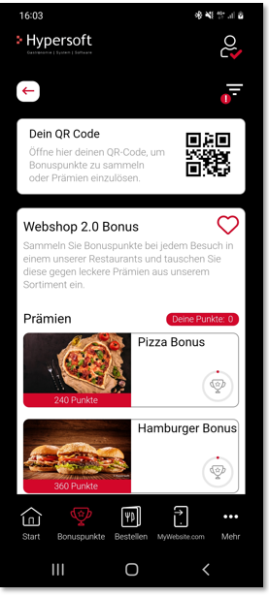
Benefits can be redeemed for the following order types: delivery, collection and retail
Requirements for redemption
-
Redeeming points online is activated
-
The user has sufficient bonus points
If these requirements are met, a "Redeem" button will be displayed.
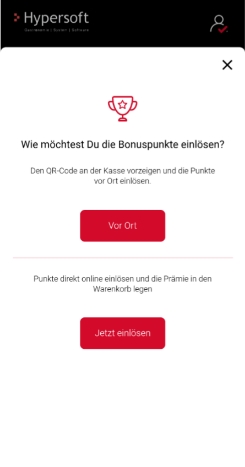
The user can choose whether the points are to be redeemed online or on site.
Rule: No further bonus points can be collected for redeemed Benefit products.
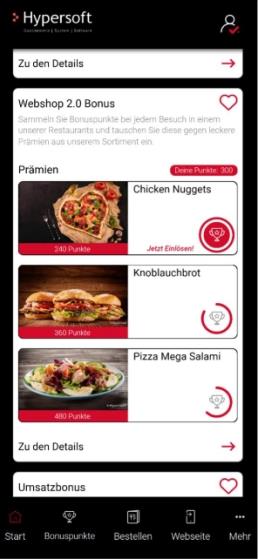
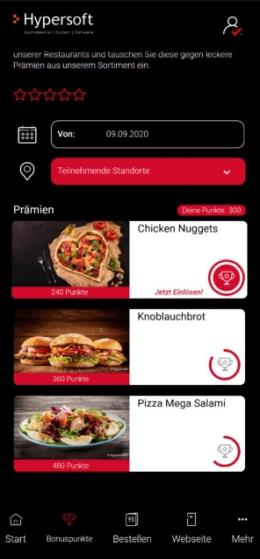
Order type does not support benefits
If an order type has been selected in advance for which the redemption of benefits is not permitted, the following procedure takes place:
-
The user is first asked how they would like to redeem the benefits.
-
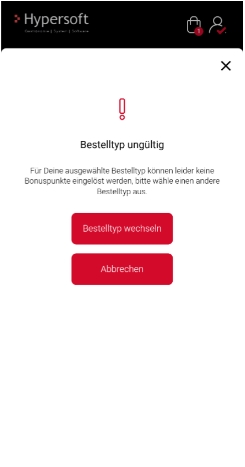
A message then appears stating that the selected order type is not valid.
The user can:
-
select a different order type or
-
cancel the process.
Redeem on site
If you select "on site", a dialogue with a QR code is displayed.
Redeem online
If "online" is selected, the system checks whether all the required information is available.
For online redemption, you must know
Missing information
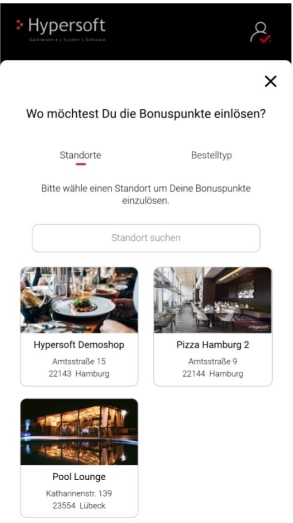
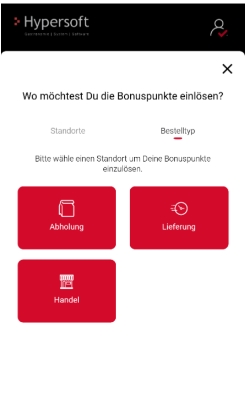
If this information is not yet available, a dialogue is displayed in which the user selects the missing information.
The further procedure depends on the order type
-
Collection: Selection of the time, forwarding to the Benefit product
-
Delivery: Selection of the delivery address, selection of the time, forwarding to the Benefit product
-
Retail: Direct forwarding to the Benefit product after selecting location and order type
If all the information is already available, you will be forwarded directly to the Benefit product.
Not enough points available
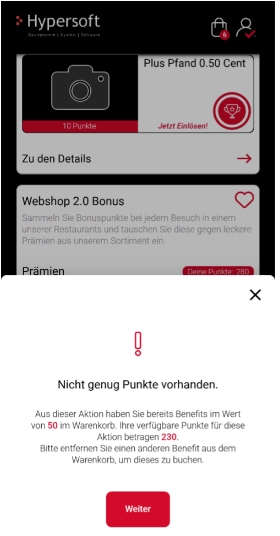
If the user attempts to redeem another benefit from the same promotion, even though there is already a corresponding item in the shopping basket and the points are insufficient, a corresponding message is displayed.
Availability of Benefit products
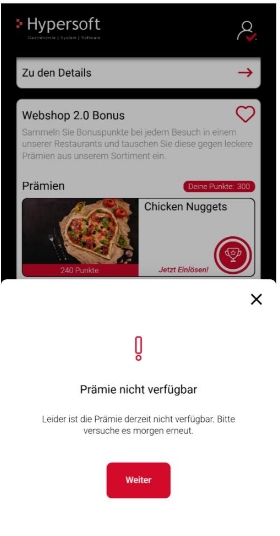
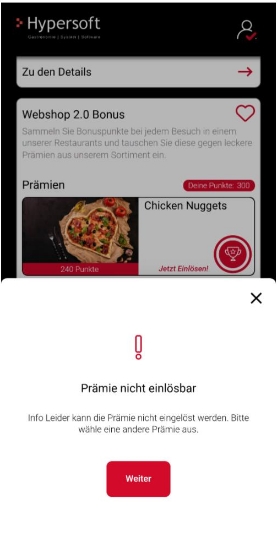
If a benefit product is not available (e.g. due to time control) or cannot be found, a corresponding message dialogue is displayed.
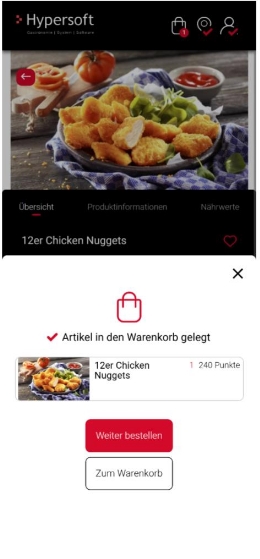
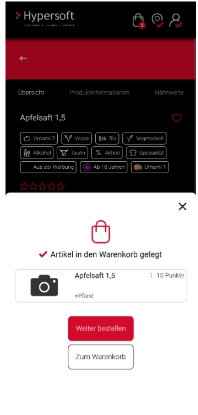
Add Benefit to your shopping basket
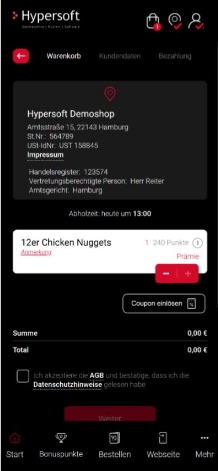
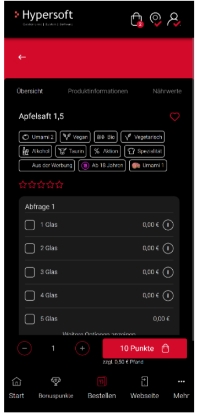
A benefit can only be redeemed once per bonus promotion, even if more points are available. The plus and minus buttons are deactivated in the detail area of the benefit product, as the product can only be booked once. To book the benefit again, it must be called up again via the bonus system.
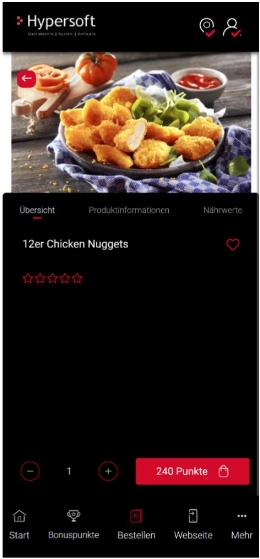
The quantity cannot be increased. Only the minus button is active to remove the benefit.
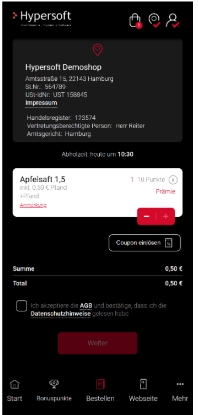
Benefit in the shopping basket...
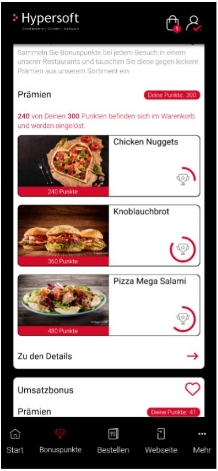
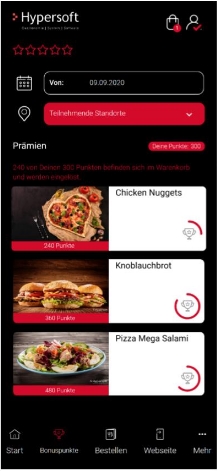
If there is a benefit in the shopping basket:
-
How many points are currently tied up in the shopping basket is displayed under the bonus promotion
-
If the number of points is sufficient, the "Redeem now" button is activated
-
Otherwise the button remains deactivated
Note: The points are only actually debited after the order has been completed. The user interface displays the points deduction in advance to prevent multiple redemptions. The product is labelled "Premium" in the shopping cart.
Shopping basket with Benefit products only...
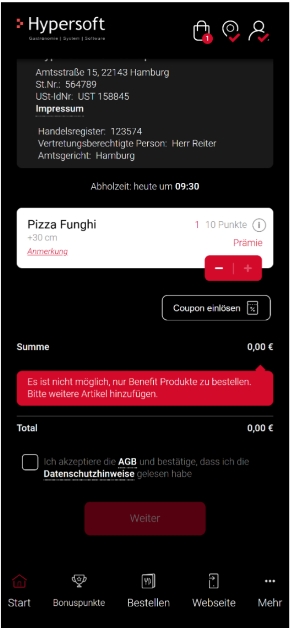
If there are only Benefit products in the shopping basket:
-
The "Next" button is deactivated
-
A corresponding message is displayed
Order history
Redeemed Benefit products are labelled as "Benefit" in the order history.
Known restrictions when redeeming benefits in the app
If a Benefit product contains a deposit, it cannot be booked for €0. The deposit amount will be charged additionally.
Back to the overarching topic: bonus scheme